
Create a product bundle
A bundle shows products that are bought together, for example “Frequently bought together”, with one Add to cart button and a combined price. Go to OCart → Product page → Create bundle.
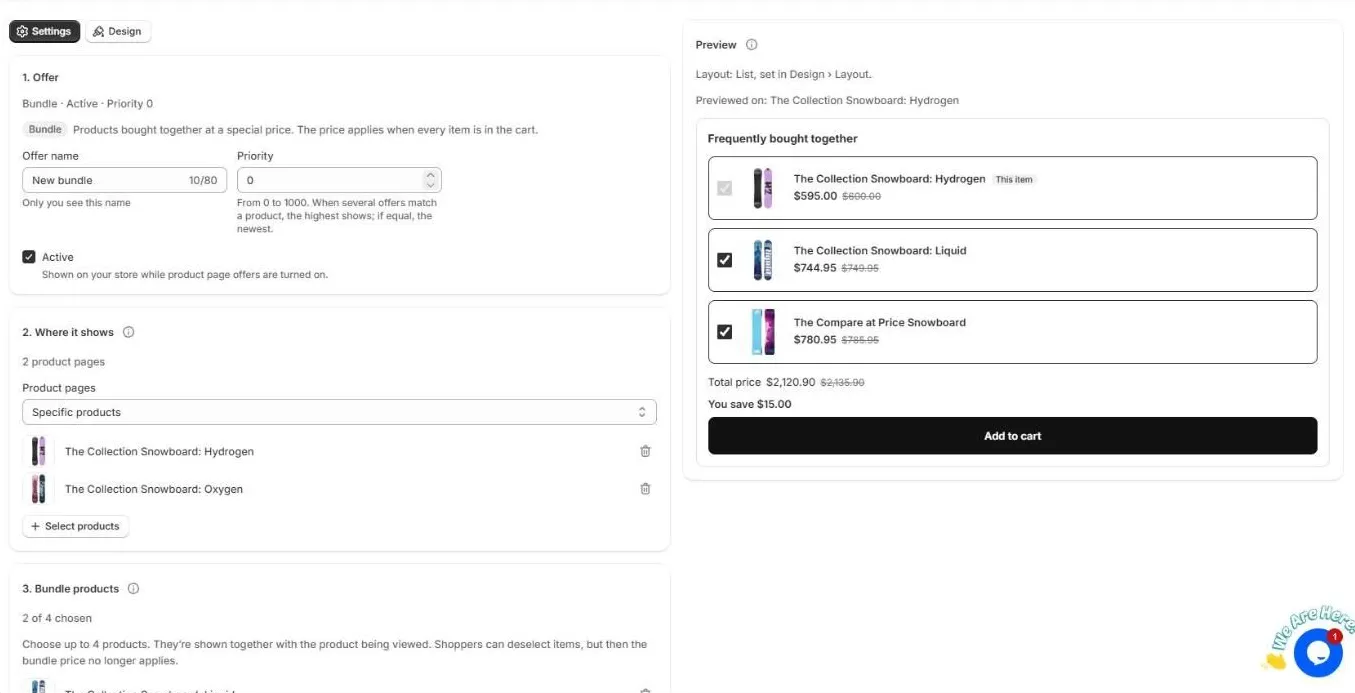
1. Offer
- Offer name. Only you see this.
- Priority. 0 to 1000. When several offers match a product, the highest one shows. If they are equal, the newest shows.
- Active. Shown on your store while product page offers are turned on.
2. Where it shows
Choose which product pages show the bundle: All products, Specific products or Products in collections.
3. Bundle products
Choose up to 4 products. They are shown together with the product being viewed.
4. Discount
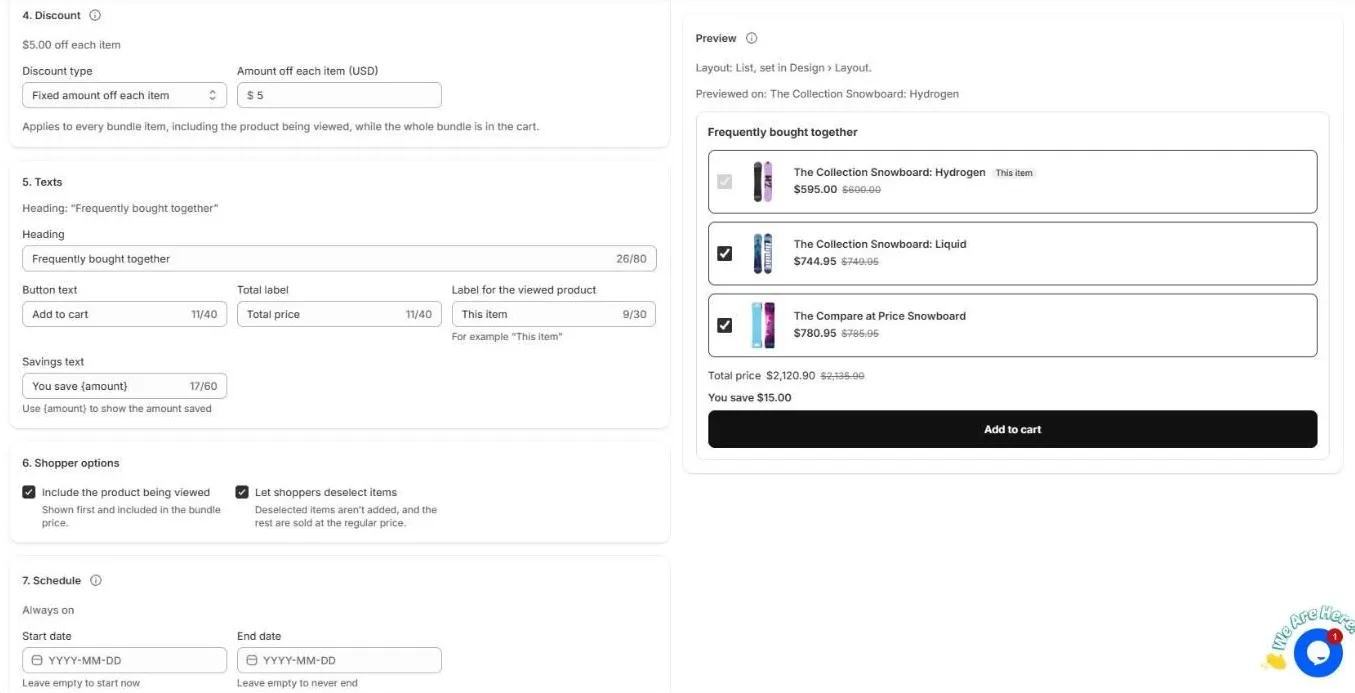
Choose Percentage off, Fixed amount off each item or No discount. The discount applies to every bundle item, including the product being viewed, while the whole bundle is in the cart. It is applied automatically at checkout by the “OCart offers” discount.
5. Texts
Change the Heading, Button text, Total label, Label for the viewed product (for example “This item”) and Savings text. Use {amount} to show the amount saved.
6. Shopper options
- Include the product being viewed. It is shown first and included in the bundle price.
- Let shoppers deselect items. Deselected items aren’t added, and the rest are sold at the regular price.
7. Schedule
Set a Start date and End date, or leave them empty to start now and never end. This is useful for limited-time promotions.
Design
Switch to the Design tab to choose a List or other layout, colors and card style. The Preview updates as you edit.
Click Save. Make sure an OCart block is in your product template so the bundle shows.
Frequently asked questions
When does the bundle price apply?
When every item in the bundle is in the cart. If you let shoppers deselect items, the remaining items are sold at the regular price.
How many products can a bundle have?
Up to 4 bundle products, plus the product being viewed if you include it.
Still need help?
Chat with us from OCart → Help, or send us a message. We usually reply within one business day.